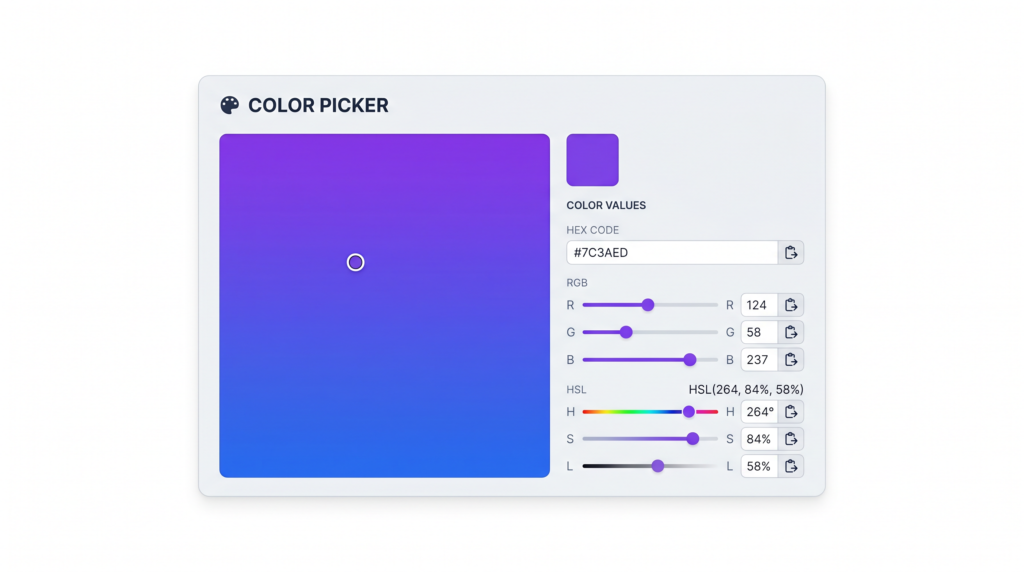
Color is one of the most powerful tools in a designer’s or developer’s arsenal — but only if you can communicate it precisely. Whether you’re handing off a design to a developer, writing CSS, or building a dynamic UI, understanding the difference between HEX, RGB, and HSL color formats can save you hours of confusion and keep your projects consistent. The good news is that you don’t need to memorize conversion formulas. Toolivoo’s free Color Picker tool converts between all three formats instantly, right in your browser.
What Is a HEX Color Code?
A HEX color code is a six-character string preceded by a hash symbol (#), written in the format #RRGGBB. Each pair of characters represents the intensity of red, green, and blue respectively, expressed in base-16 (hexadecimal) notation. The values range from 00 (none) to FF (full intensity).
For example:
- #2563eb — a vivid blue used widely in Tailwind CSS
- #ffffff — pure white (all channels at maximum)
- #0f172a — a deep navy, almost black
When all three channel pairs share the same digit in each pair, HEX codes can be shortened to three characters. For instance, #ffffff becomes #fff, and #aabbcc becomes #abc. This #RGB shorthand is valid CSS and cuts down on visual clutter in stylesheets.
Browsers parse HEX codes by converting each two-character segment from base-16 to a decimal value between 0 and 255. That decimal value maps directly to an RGB channel — which is why HEX and RGB describe the exact same color model, just in different notations.
Understanding the RGB Color Model
RGB stands for Red, Green, Blue — the three primary channels of light used by screens to display color. In CSS, colors are expressed using the rgb() function, where each channel accepts an integer from 0 to 255. For example, rgb(37, 99, 235) is the same vivid blue as #2563eb.
RGB uses additive color mixing: adding more of each channel increases brightness. When all three channels are at 255, you get white (rgb(255, 255, 255)). When all are at 0, you get black (rgb(0, 0, 0)).
One major advantage of RGB in CSS is the rgba() function, which adds a fourth parameter for alpha transparency. The alpha value ranges from 0 (fully transparent) to 1 (fully opaque). This makes RGB essential when you need layered UI elements, overlays, or subtle ghost effects:
rgba(37, 99, 235, 0.5)— the same blue at 50% opacityrgba(0, 0, 0, 0.2)— a soft black shadow overlay
RGB is also the native format for JavaScript color manipulation, making it the go-to choice when you need to calculate or animate color values programmatically.
HSL: The Human-Friendly Color Format
HSL stands for Hue, Saturation, and Lightness — and it was designed with humans in mind. Rather than thinking in raw channel values, HSL describes color the way we actually perceive it.
- Hue is the color itself, expressed as a degree on a 360° color wheel. 0° and 360° are red, 120° is green, and 240° is blue.
- Saturation is a percentage from 0% (gray) to 100% (fully vivid color).
- Lightness is a percentage from 0% (black) to 100% (white), with 50% representing the “pure” color.
In CSS, you use the hsl() function: hsl(220, 80%, 53%) produces that same vivid blue. The power of HSL becomes clear when you need color variations. Want a lighter tint of your brand color? Increase the lightness. Need a muted, desaturated version? Lower the saturation. You can do this without touching the hue at all, which keeps your palette coherent.
This is why designers building design systems and color palettes often prefer HSL — you can generate an entire scale of 50 to 950 shades by simply adjusting the lightness value on a single hue. HSL also supports an hsla() variant for transparency, just like rgba().
When to Use HEX vs RGB vs HSL
All three formats produce the same colors in the browser, so the choice is mostly about context and maintainability. Here’s a practical breakdown:
- HEX — Best for design handoffs and static color values. Design tools like Figma and Adobe XD export HEX by default. It’s compact, universally understood, and easy to copy-paste into stylesheets. Use it for fixed, unchanging colors: brand primaries, neutral grays, text colors.
- RGB / RGBA — Best for dynamic opacity and JavaScript manipulation. When you need to control transparency in CSS or compute a color value in a script, RGB’s numeric channels are easier to work with programmatically.
rgba()is also more readable than HEX with an appended alpha channel. - HSL / HSLA — Best for theming, design systems, and color palettes. When you’re building a dark mode, generating tints and shades, or defining a systematic palette in CSS custom properties, HSL gives you intuitive, predictable control. Changing a theme color is as simple as tweaking a single hue value.
A good rule of thumb: use HEX when talking to other people or tools, use RGB when writing JavaScript, and use HSL when building a scalable design system in CSS.
How to Convert Between Color Formats Instantly
Manual conversion between HEX, RGB, and HSL involves non-trivial math — converting a HEX value to HSL alone requires several steps of floating-point arithmetic. Fortunately, you never have to do it by hand.
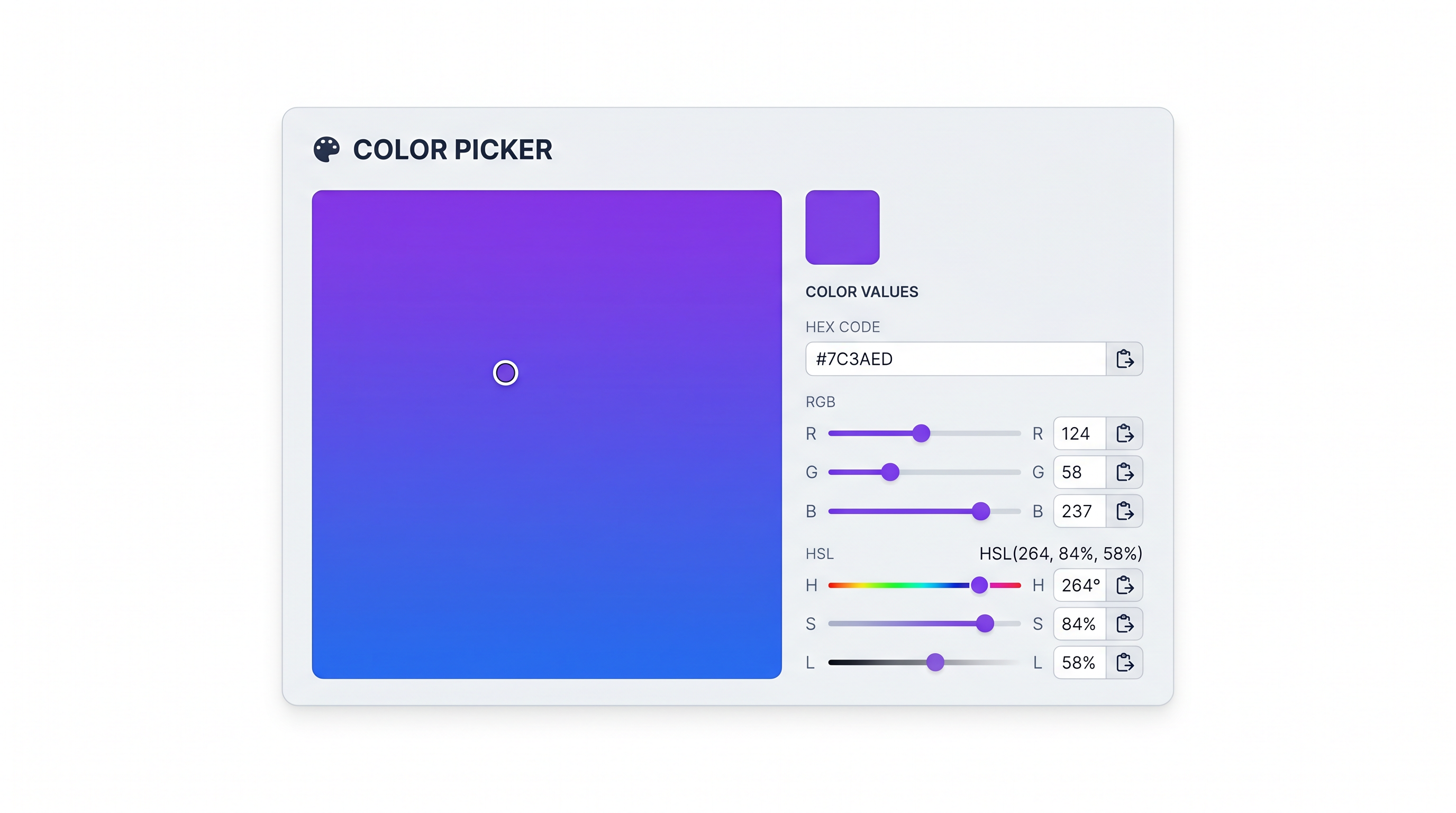
Toolivoo’s free Color Picker tool handles all conversions automatically. Pick a color using the visual color wheel, enter a HEX code, or type in RGB or HSL values — the tool instantly displays all three equivalent formats side by side. You can copy any format to your clipboard in one click.
The tool runs entirely in your browser with no login required. It’s especially useful when you receive a HEX code from a designer and need the HSL equivalent to plug into a CSS variable, or when you’re building a color palette and want to verify that all your shades sit on the same hue axis. As MDN Web Docs documents, all of these formats are fully supported across modern browsers, so you can use whichever suits your workflow.
Frequently Asked Questions
Is HEX the same as RGB?
Yes and no. HEX and RGB describe color using the exact same underlying model — red, green, and blue channels. The difference is purely notational. HEX expresses each channel as a two-digit base-16 number (e.g., 25 in hex = 37 in decimal), while RGB uses plain decimal integers. The color #2563eb and rgb(37, 99, 235) render identically in every browser.
What does the # symbol mean in a HEX color?
The hash symbol (#) is simply a prefix convention that tells CSS (and other systems) to interpret the following characters as a hexadecimal color code. It has no mathematical meaning of its own — it’s a delimiter that distinguishes a HEX color value from other text or numeric values. The convention dates back to early HTML color attributes and has been carried forward as a standard ever since.
Which color format should I use in CSS?
All three formats are fully valid in CSS and render identically in every modern browser. The choice is a matter of workflow preference. HEX is the most compact and widely recognized. RGB/RGBA is preferable when you need alpha transparency or JavaScript interoperability. HSL is widely recommended for maintainability — especially in larger codebases — because it makes color relationships immediately readable. Many CSS custom property systems use HSL for exactly this reason.
Understanding HEX, RGB, and HSL gives you fluency in the language of color on the web. Whether you’re fine-tuning a brand palette, building a dark mode, or just trying to match a color from a design file, knowing which format to reach for — and how to convert between them — makes you a faster, more confident developer. Try the free Color Picker at Toolivoo to see all three formats side by side and start converting colors in seconds.