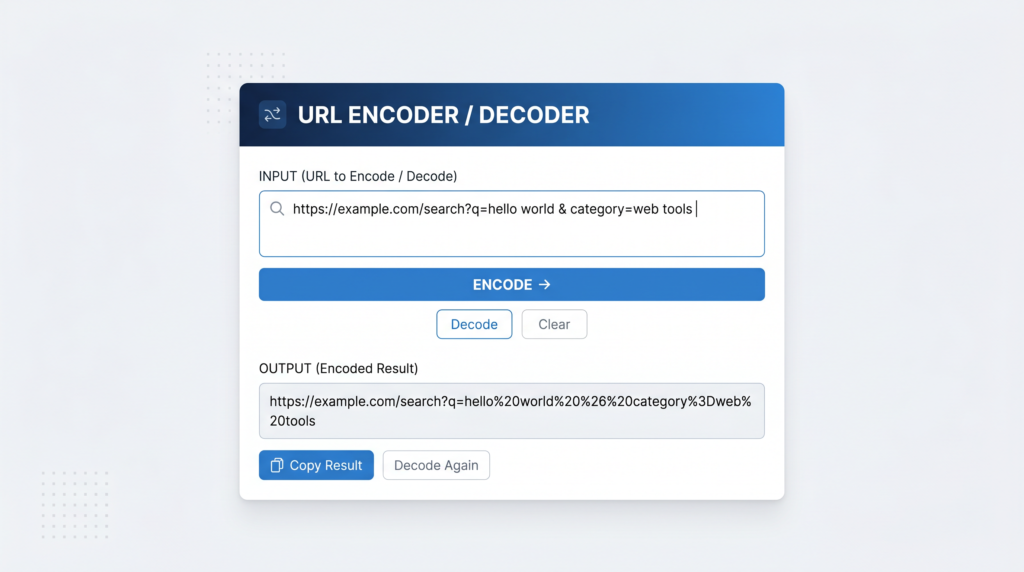
URLs look deceptively simple on the surface, but beneath every link is a strict encoding system that determines exactly which characters are allowed, which must be transformed, and how that transformation works. Get it wrong and your links break, your API calls fail, or your query parameters arrive at the server garbled. Understanding URL encoding — also called percent-encoding — is one of those foundational topics that saves developers and content creators hours of debugging. If you just need to encode or decode a URL right now, you can jump straight to Toolivoo’s URL Encoder & Decoder and paste your link — it runs instantly in your browser with no setup required.
What Is URL Encoding?
URL encoding, formally known as percent-encoding, is the mechanism for representing characters that are not permitted in a URL in their raw form. It is defined by RFC 3986, the standard that specifies the syntax of Uniform Resource Identifiers.
The core constraint is this: URLs can only safely contain a subset of ASCII characters. Every other character — anything outside that permitted set — must be converted into a special format before it can appear in a URL. That format is a percent sign followed by two hexadecimal digits representing the character’s byte value. A space, for example, becomes %20. The at sign @ becomes %40. A pound sign # becomes %23.
This system exists because URLs are transmitted over the internet through protocols and infrastructure that were designed around ASCII. Characters outside that range — accented letters, emoji, symbols, characters from non-Latin scripts — would be misinterpreted or silently dropped without encoding. Percent-encoding provides a universal, unambiguous way to include any character safely.
For more detail on the formal standard, the MDN documentation covers the JavaScript encoding functions and their relationship to RFC 3986 in depth.
Which Characters Need to Be Encoded?
Not all characters are treated the same way. URL encoding divides characters into three categories:
Reserved Characters
Reserved characters have a special syntactic role in URLs — they act as delimiters and separators. When you want to use one of these characters as data rather than as part of the URL structure, it must be encoded. Common examples:
&→%26(separates query parameters)=→%3D(assigns a value to a parameter name)?→%3F(begins the query string)#→%23(begins a fragment identifier)/→%2F(separates path segments)
If you include a literal & inside a query parameter value without encoding it, the server will interpret it as a parameter separator and split your value into two broken parameters.
Unsafe Characters
Unsafe characters have no syntactic role in URLs but can cause problems in transmission or parsing. They should always be encoded:
- Space →
%20 "→%22<→%3C>→%3E
Unreserved Characters
These characters are safe to use in any part of a URL without encoding. They include uppercase and lowercase letters (A–Z, a–z), digits (0–9), and four symbols: -, _, ., and ~. You never need to encode these.
encodeURI vs encodeURIComponent in JavaScript
JavaScript provides two built-in functions for URL encoding, and choosing the wrong one is one of the most common sources of encoding bugs.
encodeURI() is designed to encode a complete URL. It leaves intact all the characters that have structural meaning in a URL — things like /, ?, &, =, #, and : — because those characters are doing their job as URL syntax. Use encodeURI when you have a full URL and want to make it safe to pass around without breaking its structure.
Example:
- Input:
https://example.com/search?q=hello world - Output:
https://example.com/search?q=hello%20world
encodeURIComponent() is designed to encode an individual value — typically a query parameter value or a path segment. It encodes everything that is not an unreserved character, including /, ?, &, =, and #. This is exactly what you want when you are building a URL programmatically and inserting user-supplied or dynamic values into it.
Example:
- Input:
hello & goodbye - Output:
hello%20%26%20goodbye
The rule of thumb: use encodeURIComponent on any individual value you are embedding into a URL. Use encodeURI only if you have a complete URL that you want to normalise without altering its structure.
Real-World URL Encoding Examples
Search Query with a Space
The most common encoding scenario: a user types a search term that contains spaces. The browser or your application must encode the space before appending it to the URL.
- Raw:
q=hello world - Encoded:
q=hello%20world
Without encoding, many servers will either reject the request or misinterpret the space as a separator.
Email Address in a Query String
Email addresses contain the @ symbol, which is an unsafe character in a query parameter value. If you pass an email as a parameter without encoding it, the @ may be stripped or misread.
- Raw:
email=john@example.com - Encoded:
email=john%40example.com
API Request with Special Characters in a Value
When making API calls, query parameter values often contain characters that have structural meaning in URLs. For example, passing a filter expression like status=active&verified as a single value requires encoding the ampersand so the server does not split it into two separate parameters.
- Raw:
filter=active&verified - Encoded:
filter=active%26verified
Common URL Encoding Mistakes
Double-Encoding
Double-encoding happens when you encode a string that is already encoded. The percent sign in %20 gets encoded again, producing %2520 — which decodes to the literal string %20 rather than a space. This is a frequent bug when encoding logic is applied more than once in a pipeline. Always check whether your input is already encoded before encoding it again.
Forgetting to Decode Before Display
When you read a URL parameter from a request and display its value to a user, you must decode it first. Showing a raw encoded string like hello%20world in a UI instead of hello world is a sign that a decode step was skipped. Most server-side frameworks decode query parameters automatically, but the issue appears more often when manually parsing URLs or working with raw HTTP responses.
Encoding the Full URL Instead of Just Parameter Values
A very common mistake when building URLs programmatically is to run the entire URL string through encodeURIComponent. This encodes the slashes, colons, and question marks that form the URL’s structure, producing a completely broken result. Always encode only the values you are inserting into the URL, not the URL template itself.
How to Encode or Decode a URL Instantly
When you need to encode or decode a URL quickly — without writing code or remembering the exact rules — Toolivoo’s tool makes it a one-step operation. If you work with APIs, query strings, or just want to understand what a mysterious-looking URL actually says, you might also find the Color Picker and other developer tools on Toolivoo useful for your workflow.
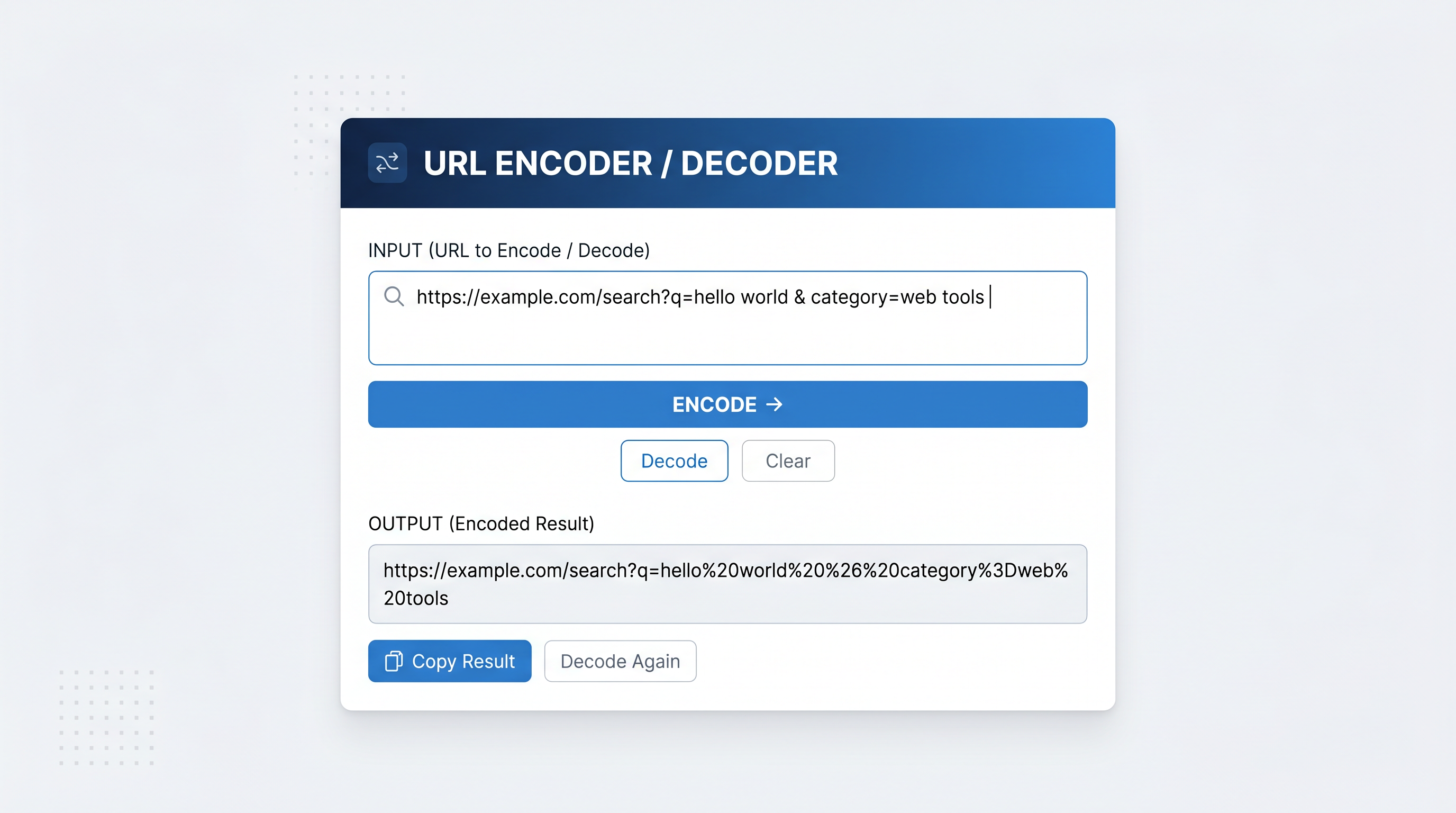
- Go to the tool. Open Toolivoo’s URL Encoder & Decoder in your browser.
- Select a mode. Choose Encode to convert a raw string to its percent-encoded form, or Decode to convert an encoded URL back to readable text.
- Paste your input. Type or paste the text or URL you want to process into the input field.
- Get your result. The encoded or decoded output appears instantly. Click the Copy button to copy it to your clipboard.
The tool runs entirely in your browser. Nothing is sent to a server, making it safe to use with sensitive URLs that may contain private tokens, email addresses, or other personal data.
Whenever you’re dealing with query strings, special characters, or redirect links, keep this page bookmarked. Open Toolivoo’s URL Encoder & Decoder, paste your URL, and make sure it is encoded correctly before you ship or share it.
Frequently Asked Questions
What does %20 mean in a URL?
%20 is the percent-encoded representation of a space character. In ASCII, the space character has the decimal value 32, which is 20 in hexadecimal — hence %20. When you see %20 in a URL, it means that position in the string contains a space.