5 Free Image Conversion Tools You Need in 2026
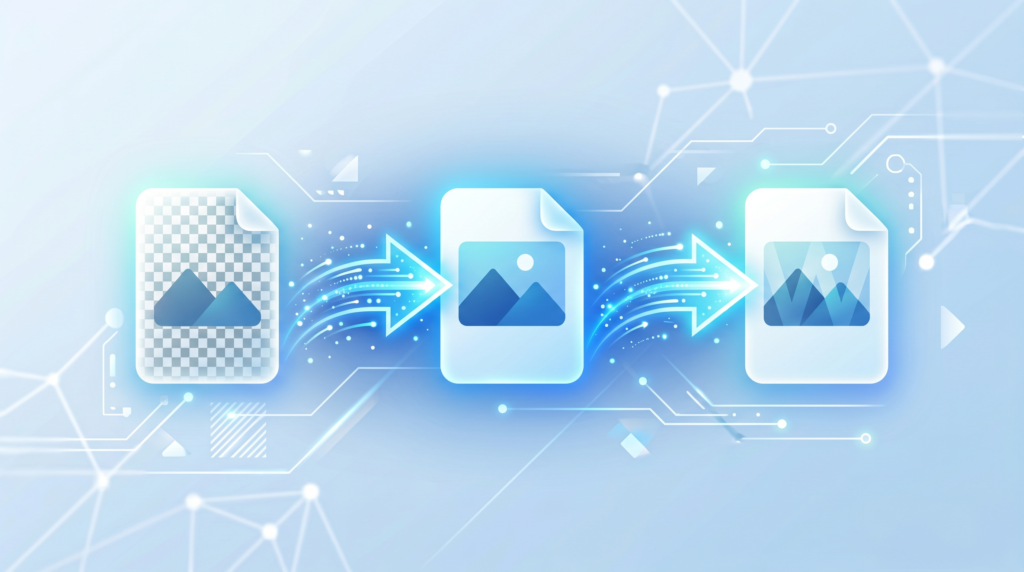
Looking for the best free image conversion tools in 2026? The image format landscape has shifted significantly in recent years. WebP has become the dominant choice for web performance, AVIF is emerging for next-gen compression, and PNG remains essential for graphics with transparency. Knowing which format to use — and having reliable tools to convert between them — is now a practical skill for anyone who works with digital images.
This guide covers the most important image formats, when to use each one, and the five categories of conversion tools you’ll reach for most often.
Why Image Format Still Matters in 2026
With storage and bandwidth cheaper than ever, it’s tempting to think format choice doesn’t matter. It does — especially for web performance, compatibility, and workflow efficiency.
File Size and Page Speed
Images are consistently the largest contributors to web page weight. A page that loads one second slower than a competitor’s loses visitors and rankings. Choosing the right format and converting images before publishing is one of the easiest performance wins available.
Compatibility Across Platforms
Not every format works everywhere. WebP isn’t supported in some older email clients. TIFF files are impractical for web use. BMP files are enormous. PNG files can be unnecessarily large when JPEG would serve equally well. Conversion tools bridge these gaps instantly.
Quality vs. Size Trade-offs
Different formats prioritize different things. Understanding these trade-offs helps you make informed decisions rather than defaulting to whatever format your camera or design tool outputs.
The 5 Best Free Image Conversion Tools and Use Cases in 2026
1. JPG ↔ PNG Converter (for Transparency and Print)
This is the most common conversion need. JPEG and PNG serve fundamentally different purposes:
- JPEG — Best for photographs and complex, color-rich images. Uses lossy compression. Does not support transparency.
- PNG — Best for logos, graphics, icons, and screenshots. Uses lossless compression. Supports transparent backgrounds.
Convert JPG to PNG when you need transparency — for example, a logo that needs to sit on different colored backgrounds without a white box around it. Convert PNG to JPG when you need a smaller file size for a photo and transparency isn’t required.
Toolivoo’s Image Converter handles this conversion instantly, in the browser, with no quality loss on PNG output and adjustable quality on JPEG output.
2. JPG/PNG → WebP Converter (for Web Performance)
WebP is the clear winner for web images in 2026. Developed by Google, it delivers:
- 25–35% smaller files than JPEG at equivalent visual quality.
- Lossless compression with smaller file sizes than PNG.
- Support for transparency (like PNG) and animation (like GIF).
- Near-universal browser support — Chrome, Firefox, Safari, Edge, and all mobile browsers.
Converting your website images from JPEG or PNG to WebP before uploading is one of the quickest ways to improve your Core Web Vitals scores and page load speed. Toolivoo’s free Image Converter makes this conversion seamless — upload your JPG or PNG, select WebP, and download in seconds.
3. HEIC → JPG Converter (for iPhone Photos)
Apple’s HEIC format produces sharp photos at smaller file sizes than JPEG — which is why iPhones have used it since iOS 11. The problem: HEIC isn’t universally supported. Windows users, Android recipients, and many websites can’t open HEIC files natively.
Converting HEIC to JPG is the standard solution. It makes your iPhone photos universally compatible for sharing, emailing, uploading to platforms, and printing. The conversion is straightforward using a dedicated image conversion tool that supports HEIC input.
4. BMP/TIFF → JPG/PNG Converter (for Legacy Files)
BMP (Bitmap) and TIFF files are legacy formats still encountered in specific contexts:
- BMP files come from older Windows applications and produce extremely large, uncompressed files that aren’t practical for any modern use case.
- TIFF files are standard in professional photography, print production, and medical imaging because they are lossless and support very high bit depths. They are impractical for web or email use due to their size.
Converting BMP or TIFF files to JPEG or PNG for everyday sharing, web use, or email attachments is straightforward with a capable free image converter. You get a compatible, appropriately sized file while preserving visual quality.
5. GIF → WebP/MP4 Converter (for Animated Content)
GIF is technically a terrible format for animated content. GIF files support only 256 colors and produce enormous file sizes compared to video formats. A 2-second animation that is 5MB as a GIF can be under 500KB as a WebP or under 200KB as an MP4.
For web use, converting animated GIFs to WebP animations reduces file size dramatically while maintaining compatibility with modern browsers. For sharing on social platforms, converting to MP4 is even more efficient and universally supported.
How to Use Toolivoo’s Image Converter
For JPG, PNG, and WebP conversions — which cover the vast majority of everyday image conversion needs — Toolivoo’s Image Converter is the fastest option available.
Step 1: Upload Your Image
Open the tool at toolivoo.com/image-converter/ and upload your image file by clicking or dragging. Supported input formats include JPG, PNG, WebP, BMP, GIF, and TIFF.
Step 2: Choose Your Output Format
Select the format you want to convert to from the dropdown menu. For web images, choose WebP. For universal compatibility, choose JPG. For transparency support, choose PNG.
Step 3: Download the Converted File
Click convert and download your file. The entire process runs in your browser — your images never leave your device. This makes it safe for personal photos, client assets, and any sensitive imagery.
Quick Format Reference: Which to Use When
| Format | Best For | Supports Transparency |
|---|---|---|
| JPEG/JPG | Photos, complex images | No |
| PNG | Logos, graphics, screenshots | Yes |
| WebP | Web images, any use case | Yes |
| GIF | Simple animations (legacy) | Yes (1-bit only) |
| TIFF | Print, professional photography | Yes |
Frequently Asked Questions
What are the best free image conversion tools in 2026?
Toolivoo’s Image Converter is among the best free options — it supports JPG, PNG, WebP, GIF, BMP, and TIFF conversions with no sign-up required, running entirely in your browser for privacy and speed.
Which image format is best for websites?
WebP is currently the best format for most website images. It offers smaller file sizes than JPEG or PNG at comparable quality, and is supported by all major modern browsers.
Is it safe to convert images online?
With browser-based tools like Toolivoo’s Image Converter, yes. Your images are processed locally and never uploaded to a server, so there is no privacy risk.
Can I convert a PNG to JPG without losing transparency?
JPG does not support transparency. When converting a PNG with a transparent background to JPG, the transparent areas will be filled with a solid color (typically white). If you need to keep transparency, convert to WebP or keep the file as PNG.